
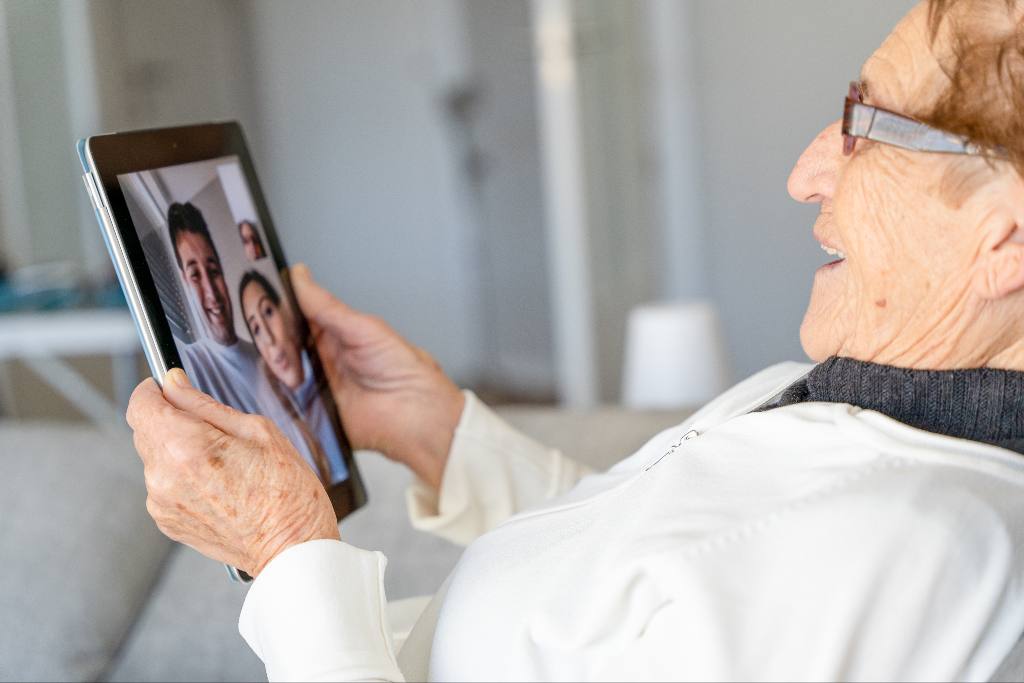
When an older adult feels lonely or cut off, it takes a real toll, and staying connected with family is one of the best things that helps. Video chatting is one of the simplest ways to bridge the miles. Getting a senior started is easier than it looks: pick one easy device they will keep within reach, choose a simple app like FaceTime or WhatsApp, place the first call for them, and teach it in small steps tied to things they already know.
What You’ll Find in This Article
- Why Video Chat Is Worth the Effort
- Start With the Right Device and App
- Make the First Call for Them
- Teach It in Small, Simple Steps
- Set Up a Routine That Sticks
- When Video Chat Isn’t Enough
- Frequently Asked Questions
Why Video Chat Is Worth the Effort
Video chat does more than pass the time. Researchers at Oregon Health & Science University found that older adults who used video chat had about half the rate of depressive symptoms compared with those who relied on email, social media, or instant messaging. The National Institute on Aging links social isolation to higher risks of heart disease, depression, and cognitive decline, so a reliable weekly call with the people they love does real good.
Start With the Right Device and App
Start with the basics. Will your loved one use a smartphone, a tablet, or a computer? Is the phone an iPhone or Android? Pick the one they are most likely to use and least likely to find intimidating. Here is the key to the whole thing: choose a device the senior will actually use and that will be near them when you call, not sitting in another room out of earshot.
Next, choose a video chat app. The most senior-friendly options today include FaceTime for Apple users, WhatsApp, Google Meet, Zoom, and Facebook Messenger. Pick one that runs on their device and that the people they want to see already use, since a call is only as good as having someone to answer it. If you would rather start with a device built specifically for this, our guide to communication devices for the elderly walks through simple tablets, video frames, and one-touch videophones.
Make the First Call for Them
Now make the first call yourself. Demonstrate the idea by calling someone they love to talk to. Once the senior sees a loved one’s face, the benefits become crystal clear, and the worry about using a phone or computer tends to fall away. Placing that first call for them lets them experience how easy and how fun it can be before they ever have to touch a button. Then you can show them how it works.
Teach It in Small, Simple Steps
When you start teaching, break it into small, simple steps and tie each one to something they already understand. Turning on the app is like picking up the phone. Finding a contact is like looking someone up in an address book. The first steps are simple:
- Show them how to find the video chat icon on the phone or computer.
- Show them how to find the person they want to call in the contact list, the way they would in an address book.
- Have them tap the person’s name, then walk through what happens next.
If your loved one starts to get tired or frustrated, stop. Teach only as much as they can take in and stay interested in at one time. When you come back to it, start at the beginning and let them run the steps for you before you add anything new. And remember to show them how to turn up the volume so they can hear.
Set Up a Routine That Sticks
Once they can make a call, manage expectations. Like a regular phone, the person on the other end can only answer if they are near their device, so a call does not always mean someone picks up. The fix is a simple routine. Set standing call times: a grandchild every Saturday morning, a son or daughter on Sunday afternoon. When someone reliably answers, your loved one feels the success and keeps going.
It also helps to find out whether their friends use video chat. If they belong to a senior center, church, or civic group, ask the organizer. You might arrange calls between friends, and the organizer may even want to teach the whole group, which adds a new dimension to their social life.
When Video Chat Isn’t Enough
Nothing replaces time together in person. The ability to share a hug meets a need that no screen can. But when miles or busy schedules make visits impossible, video chat brings people together and keeps a loved one feeling connected and cared for. For families who want a steady in-person presence between their own visits, our companion care pairs that human connection with the everyday help that makes living at home easier.
About Family Matters In-Home Care
Family Matters In-Home Care is a family-founded, non-medical home care agency serving seniors across California, with offices throughout the San Francisco Bay Area, San Diego, and Sacramento. Founded in 2002 by Carol Pardue-Spears after nearly two decades in patient care at El Camino Hospital, the agency has grown through trusted referrals and longstanding community relationships built on compassionate, family-centered care.
If you or your family member is considering in-home care as part of a plan to age in place, contact Family Matters In-Home Care today for a free consultation. Our team is dedicated to supporting your family and helping older adults enjoy life in the comfort of their own home for as long as possible.
Frequently Asked Questions
What is the easiest video chat for seniors?
For many seniors the easiest setup is a device that answers automatically or with one touch, such as a senior tablet or a video frame, paired with a simple app like FaceTime. The best option is whatever they will keep nearby and feel calm using.
What is the best video chat app for seniors?
FaceTime is simplest for Apple users, while WhatsApp, Google Meet, and Zoom work across phones and computers, and Facebook Messenger is handy if the family already uses it. Choose the app the people they call already use.
Are there free video chat options for seniors?
Yes. FaceTime, WhatsApp, Google Meet, Zoom, and Messenger are all free to download and use over Wi-Fi or data. The only real costs are the device itself and an internet connection.
How do you teach an elderly parent to video chat?
Make the first call for them so they see a loved one’s face, then teach the steps in small pieces tied to things they already know, and stop before they get tired. Expect to repeat the lesson a few times, which is completely normal.
How does video chat help seniors?
Beyond staying in touch, research from Oregon Health & Science University found that older adults who used video chat had about half the rate of depressive symptoms compared with those who used email, social media, or instant messaging.
